

 All news
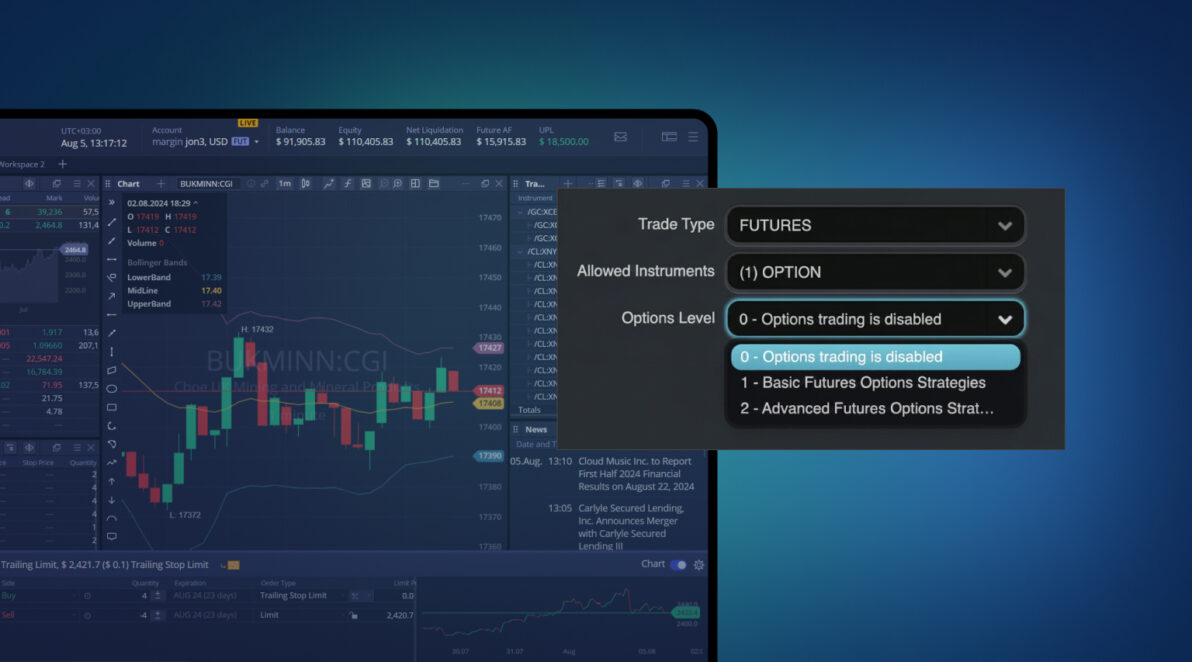
The January release focuses on futures options. Brokers can now decide which futures options strategies each account can trade and offer futures options through CQG, while traders can send option contracts from the Option Chain to their linked widgets and use an iOS app updated for iOS 26.
Benefits for brokers
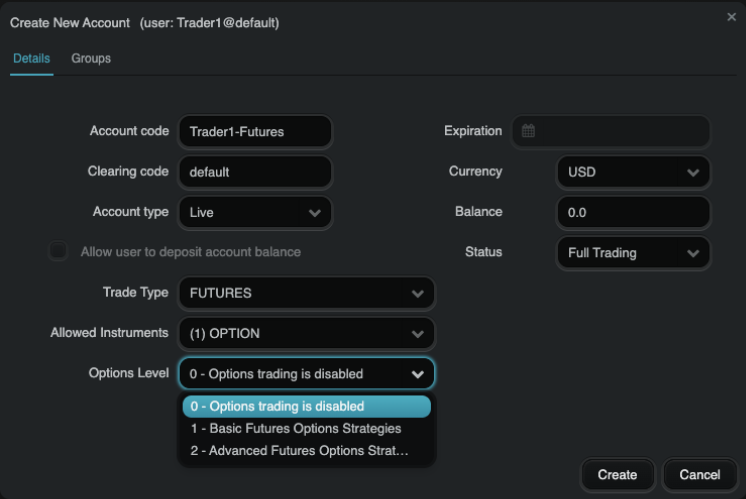
Options levels for futures accounts
Until this release, futures options trading was either permitted or prohibited for an account. Futures accounts now carry an options level, which lets brokers open futures options to traders while deciding whether those traders can write uncovered options.
Alongside the setting that disables options trading, two trading levels are available:
- Basic Futures Options Strategies covers strategies without uncovered writing, such as buying calls and puts, protective calls and puts, long straddles and strangles, and iron condors.
- Advanced Futures Options Strategies lifts the restrictions and adds uncovered put and call writing, including single short puts and calls, short straddles, short strangles, and synthetic positions.
DXtrade rejects any order that would take the portfolio beyond the account’s permitted level on the underlying.
Bulk flattening through the DX REST API
Brokers’ systems can now cancel orders and close positions in bulk through a new Flatten operation in the DX REST API. At the account level, the operation cancels all orders and closes all positions, matching the Flatten All button. At the symbol level, it exits positions in the instrument and in instruments derived from the same underlying, working like the symbol-level Flatten button in the DOM Ladder.
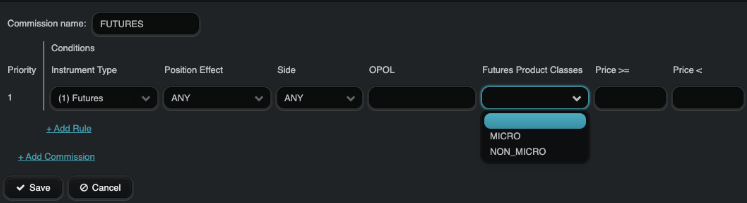
Separate commission rates for micro and non-micro futures
Commissions and Fees plans now accept Futures Product Classes as a condition, so brokers can charge different commission and fee rates for micro and non-micro futures. A rule with no product class selected applies to all product classes.
Futures options trading through CQG
Brokers that route orders through CQG can now offer futures options on the CQG FIX connection. DXtrade maps CQG symbols for futures and futures options and supports multi-leg futures options orders, so traders can also trade futures options spreads.
GMI reconciliation for expirations and non-trade transactions
The GMI reconciliation job now handles futures and futures options events that are not trades, so they reconcile in the same job as trades. Coverage includes futures settlement, futures options expirations, assignments and exercises, non-trade commissions and fees, and non-trade corrections.
Benefits for traders
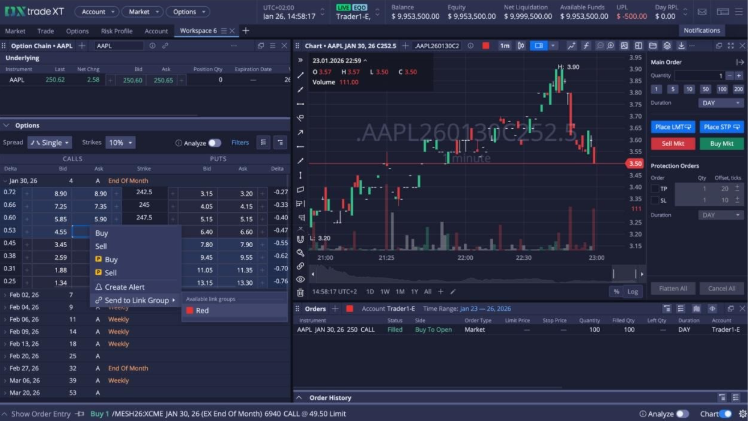
Option contracts sent from the Option Chain to linked widgets
Traders can now send an option contract from the Option Chain to a group of linked widgets. After grouping widgets with Link Widget, a trader right-clicks the call or put side of the chain and chooses Send to Link Group. Every widget in the group then switches to that contract.
From there, the trader can trade the contract from the Chart or the DOM Ladder, with one-click trading applied where it is enabled, and filter widgets such as Orders by the selected symbol.
iOS app styled for iOS 26
The iOS app now follows the iOS 26 design, so it stays consistent with the rest of the operating system. The update brings a navigation bar in the new iOS 26 style and updated styles for active buttons, including headers and action buttons, that emphasize the primary action.
Brokers can contact our team to discuss how these updates apply to their platforms.
