

 All news
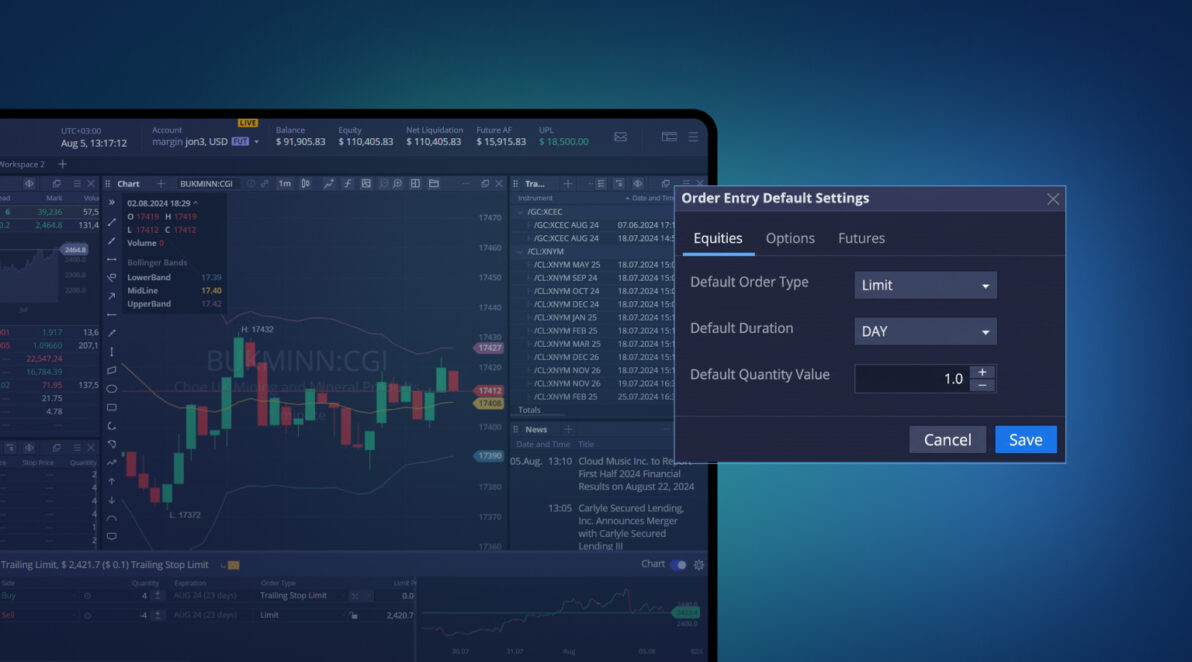
The March release adds risk and back-office controls for brokers, from percentage-based daily loss limits to automatic corrections in GMI reconciliation. Traders get order entry defaults that carry across widgets and devices, along with daily P&L metrics in the Account widget.
Benefits for brokers
Daily loss limits as a percentage
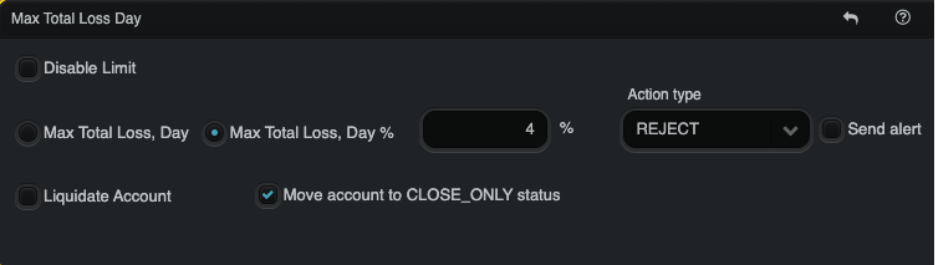
The Max Total Loss, Day risk setting (previously Max Total Loss) now accepts a threshold in notional value or as a percentage. A notional threshold applies to the Day PL metric. A percentage threshold applies to Day Return, which measures the day’s change against the account’s previous end-of-day net liquidation, so a single percentage limit works across accounts of different sizes. A threshold counts as breached when the metric is negative and reaches the set level.
Control over SPAN discounts for futures options positions
Opening a futures options position can now deactivate intraday and overnight margin discounts, and brokers decide whether it does. When the discounts are deactivated, all positions in the same combined commodity are margined at the default SPAN requirements, so accounts that add futures options stop receiving discounted margin on that commodity.
Notifications before the intraday period ends
Margin requirements rise at the end of the intraday trading period, which can trigger automatic liquidation on some accounts. Brokers can now enable notifications that reach traders holding positions on intraday margin as the period nears its end, so traders have time to adjust their positions before the higher requirements apply.
Futures with irregular schedules filtered out for prop firms
Prop firms that run futures challenges usually follow an intraday schedule close to that of E-mini S&P 500 futures (/ES). Instruments with significantly different hours can trade outside that session or on a shorter schedule, which creates operational problems for the firm. DXtrade now excludes less popular instruments with irregular schedules from the Instruments section by default, while popular products such as corn futures (ZC) stay available. Devexperts can adjust the list or turn the exclusion off on request.
Automatic corrections in GMI reconciliation
Earlier releases reported GMI reconciliation discrepancies to the Breaks Report and the Job Log. Position and balance discrepancies are now corrected automatically, and the reconciliation job handles trade corrections and generates the Breaks Report. Brokers choose whether each discrepancy type is corrected or only reported.
API events through Amazon SQS
DXtrade API events are now delivered through Amazon Simple Queue Service (SQS), so brokers’ integrations can receive them from an SQS queue.
Benefits for traders
Default order types and durations
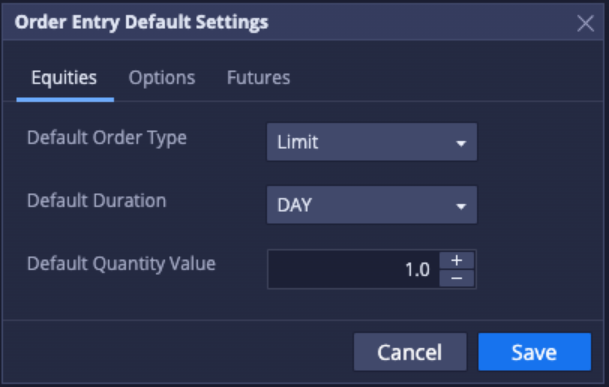
Order Entry Default Settings now include Order Type and Duration (TIF) alongside Quantity, so traders can start each new order with their preferred values instead of setting them every time. The defaults also apply when order entry opens from another widget and in widgets that support trading. Defaults set in Web Trader carry over to new orders in the mobile app.
Daily P&L and return metrics
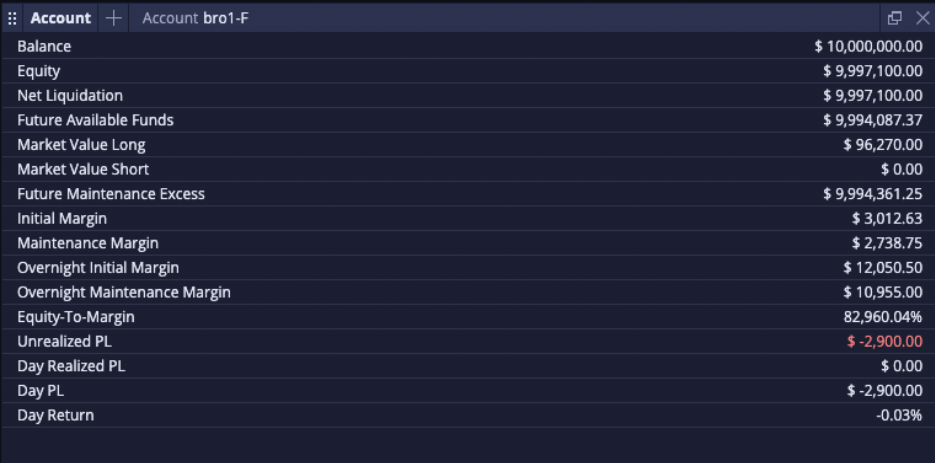
Two new account metrics let traders follow their daily performance. Day PL shows the realized and unrealized P&L change since the end of the previous day, and Day Return (%) shows the same change as a percentage of the previous day’s end-of-day net liquidation. Both metrics also drive the Max Total Loss, Day limit described above.
Top-of-book sizes on Level 1 data
Traders with only a Level 1 market data subscription now see top-of-book bid and ask sizes in the DOM Ladder and Market Depth widgets. The DOM Ladder also marks the last trade price with a line and highlights the Bid and Ask buttons.
Brokers can contact our team to discuss how these updates apply to their platforms.
